
On this page
Nomad eSIM sponsors its coverage in this comparison and provided a coupon for a complimentary test plan. This article contains affiliate links; JAPANODE may earn a commission at no extra cost to you. JAPANODE retains editorial control over the comparison, provider order and recommendations.
Two starting points for your Japan trip

Nomad eSIM Japan plans
Best for
Flexibility: choose the data allowance and Japan-only or multi-country coverage that fit your trip
Before booking
Data-only; our experience did not test tethering or remote-area reception. Check the exact plan's network and speed limits.
Why it may fit
Choose the data allowance and destination coverage that fit your itinerary. Setup was easy and our usual apps worked comfortably around Osaka on a Pixel 7.

Ubigi Japan eSIM
Best for
Wider itineraries where the listed network choices matter
Before booking
Carrier access does not guarantee reception at every stop; the displayed price needs a fresh checkout check.
Why it may fit
Compare Ubigi if stated Docomo + KDDI access and 5G are priorities for your route. Check the live price and plan details.
Check the activation rules before installing. Set up your eSIM before your flight when your plan allows it; some plans start on installation, while others start on a supported destination network.
Staying connected in Japan used to mean renting a pocket WiFi at the airport or hunting down a SIM card vending machine. In 2026, there's a much better option: eSIM.
An eSIM (embedded SIM) is a digital SIM built into modern smartphones. Instead of swapping a tiny physical card, you simply scan a QR code or download a profile, and you're online. No more fumbling with SIM ejector tools at the airport or worrying about losing a nano SIM.
This guide compares official plan details with practical advice from living in Japan. The Nomad eSIM section includes my own use around Osaka; this is not a controlled performance test of all five providers.
Which eSIM should you pick for Japan?
Start with Nomad eSIM for straightforward app setup and flexible Japan or regional coverage; compare Ubigi when stated Docomo + KDDI access and 5G are priorities for your route. Airalo is another fixed-data comparison, while Holafly suits travelers willing to pay for unlimited-style phone data within its hotspot limits. There is no universal winner: the exact plan, device, network, trip length and checkout price still need to match your trip.
| Provider | 10 GB / 30 days | Networks | 5G | Unlimited option | Hotspot | Best for |
|---|---|---|---|---|---|---|
| Nomad eSIM | $16 sale ($18 crossed out) | KDDI (au) / SoftBank; check selected plan | Plan-dependent | $11 / 3d · $25 / 7d · $49 / 21d | Allowed; not tested by us | Flexibility: data allowance and destination coverage |
| Ubigi | $16.50 | NTT Docomo / KDDI (au) | ✅ | $25 / 7d · $39 / 15d · $65 / 30d | Allowed | Wider itineraries, 5G |
| Airalo | $18.00 | SoftBank (primary) + 1 other | Not stated by Airalo | $11.50 / 3d · $26.50 / 7d · $69.00 / 30d | Allowed | Flexible fixed-data plans |
| Holafly | No data buckets — unlimited only | KDDI / SoftBank | ✅ | $11.90 / 3d · $27.50 / 7d · $73.90 / 30d | Capped at 1 GB/day | Heavy users |
| Sakura Mobile | Daily-data and unlimited plans; check live quote | NTT Docomo or KDDI (au), depending on plan | ✅ | 5G (au) unlimited offer; price varies by duration | Plan-dependent | Long stays, Japan-based support |
Airalo's USD prices were checked on September 19, 2026; Holafly on September 18; Nomad eSIM on October 9. Ubigi's figures retain the August 22 reference date. Sakura Mobile's plan types were checked on October 6, but a current price was not verified, so no older quote is presented as today's price. Nomad eSIM's $16 price was shown as a sale. These checks were made on different dates, so the table is not a same-day price ranking. Confirm the final currency, tax, price, network and fair-use terms at checkout.
Why eSIM Is the Best Option for Japan Travelers
Before diving into specific providers, here's why eSIM beats every other connectivity option for most visitors:
No airport pickup or return. With pocket WiFi, you need to pick up a device at the airport and return it before your flight home. Miss the return? You'll get charged. With eSIM, there's no physical device involved.
Prepare before departure. Choose a plan online and set it up before your flight when it allows advance installation. You can avoid the airport SIM counter, but leave enough time to read the instructions and resolve any setup issue.
No extra device to carry or charge. Pocket WiFi routers need daily charging and take up bag space. Your eSIM runs on your phone's own battery.
Keep your home number available if you need it. Compatible dual-SIM phones can keep your home line enabled while the travel eSIM handles data. Home-carrier charges can still apply to calls and texts. Turn off data roaming on your home line and check automatic data switching before departure.
Choose the network for your route. Rural areas, mountain roads and islands need a closer coverage check. Find out which carrier your selected plan uses and check that carrier's map for your actual stops; a provider's name or a 5G label cannot guarantee reception everywhere.
Before purchasing, make sure your phone supports eSIM AND is carrier-unlocked. Some phones sold through carriers are locked and won't accept a foreign eSIM. Check in Settings > General > About (iPhone) or Settings > Connections > SIM Manager (Android). Also note: iPhones sold in mainland China, Hong Kong, or Macau often lack eSIM hardware entirely — check your specific model.
Top 5 eSIM Providers for Japan: Compared
We compared these providers by price, data options, stated network access, setup, and support. Price reference dates differ: Airalo was checked on September 19, 2026, Holafly on September 18, and Nomad eSIM on October 9; Ubigi's figures retain the August 22 date. Sakura Mobile's plan types were checked on October 6, with current pricing left to its live quote. Prices and promotions change, so compare the exact offers available for your trip.
1. Nomad eSIM
Best for flexibility. Choose a plan based on how much data you need and whether you’re visiting Japan only or other countries too.
Pricing (checked October 9, 2026, USD): Japan-only plans included 1 GB / 7 days for $4, 5 GB / 30 days for $10 and 10 GB / 30 days for $16 on sale ($18 crossed out). Unlimited-style options included $11 / 3 days, $25 / 7 days and $49 / 21 days. Check the official Japan plan details before purchase.
I used Nomad eSIM on a Google Pixel 7 around Osaka. X, Instagram, TikTok, YouTube and Google Maps worked much like they do on my usual mobile connection, without inconvenience in my everyday use. Installing through the app was straightforward, and I would be happy to use it again.
My test was the CN-JP-KR regional 10 GB / 30-day plan, supplied free through a coupon. It was not the Japan-only plan priced above, and I only used it in Japan. The phone showed a KDDI connection and 5G. I did not test tethering, cross-border switching or remote-area coverage.
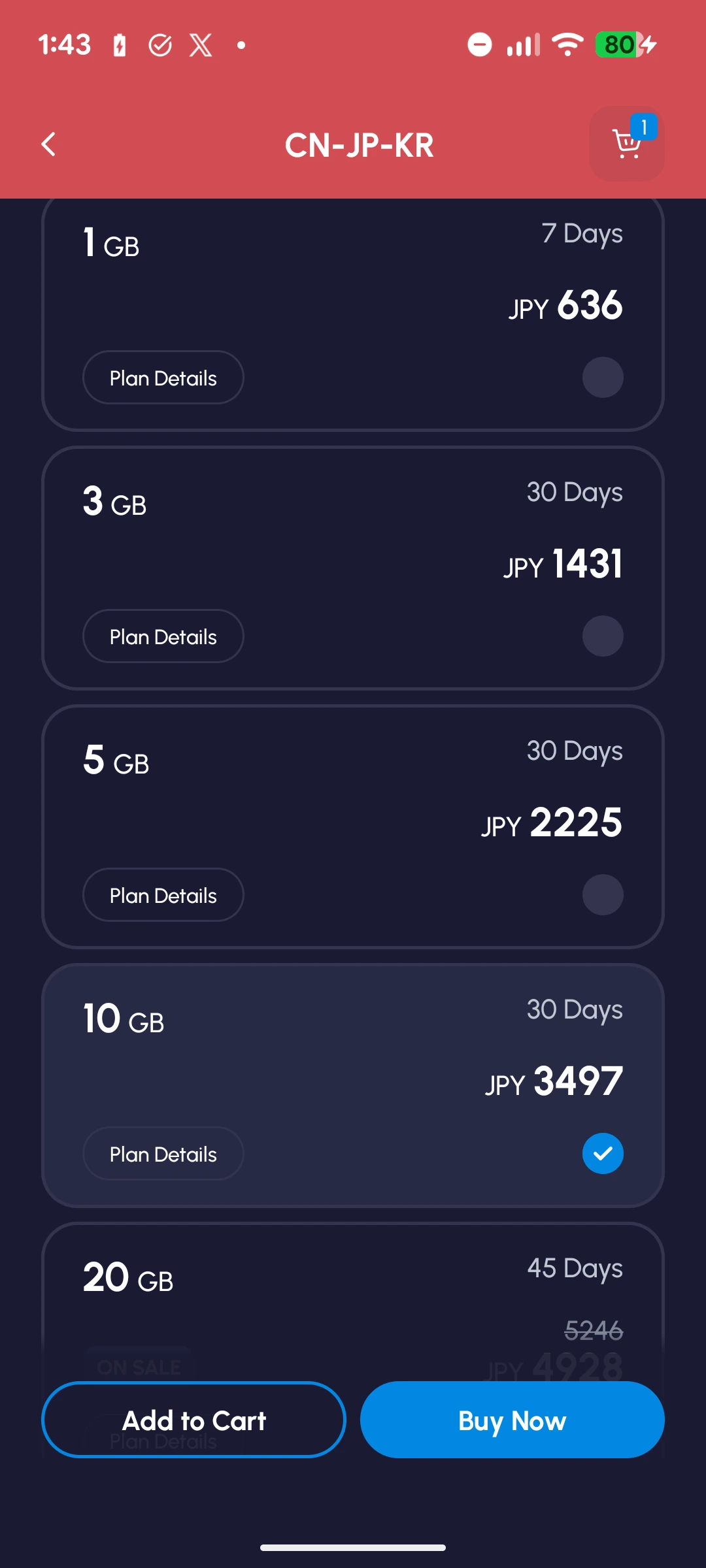
The useful distinction is the choice of data allowance and coverage. For Japan alone, compare Japan-only packages. If your itinerary also includes China or South Korea, the CN-JP-KR offer is worth checking against separate purchases. Regional convenience matters only if the included destinations and validity match your trip.
Pros:
- Straightforward app-based setup in my Pixel 7 test
- Comfortable everyday use around Osaka for the apps listed above
- Japan-only and regional options for different itineraries
- Fixed-data and unlimited-style plans available
- Hotspot use is permitted, subject to device and network limitations; we did not test it
Cons:
- Data-only: no Japanese number for ordinary calls or SMS
- Japan unlimited plans reduce speeds after the first 2 GB. Check the selected plan’s terms before purchase; unlimited data does not mean constant high speeds
- Most paid plans have an activation deadline, often 60 days, with exceptions; follow your order's activation instructions
- Our Osaka experience cannot establish nationwide coverage or support response times
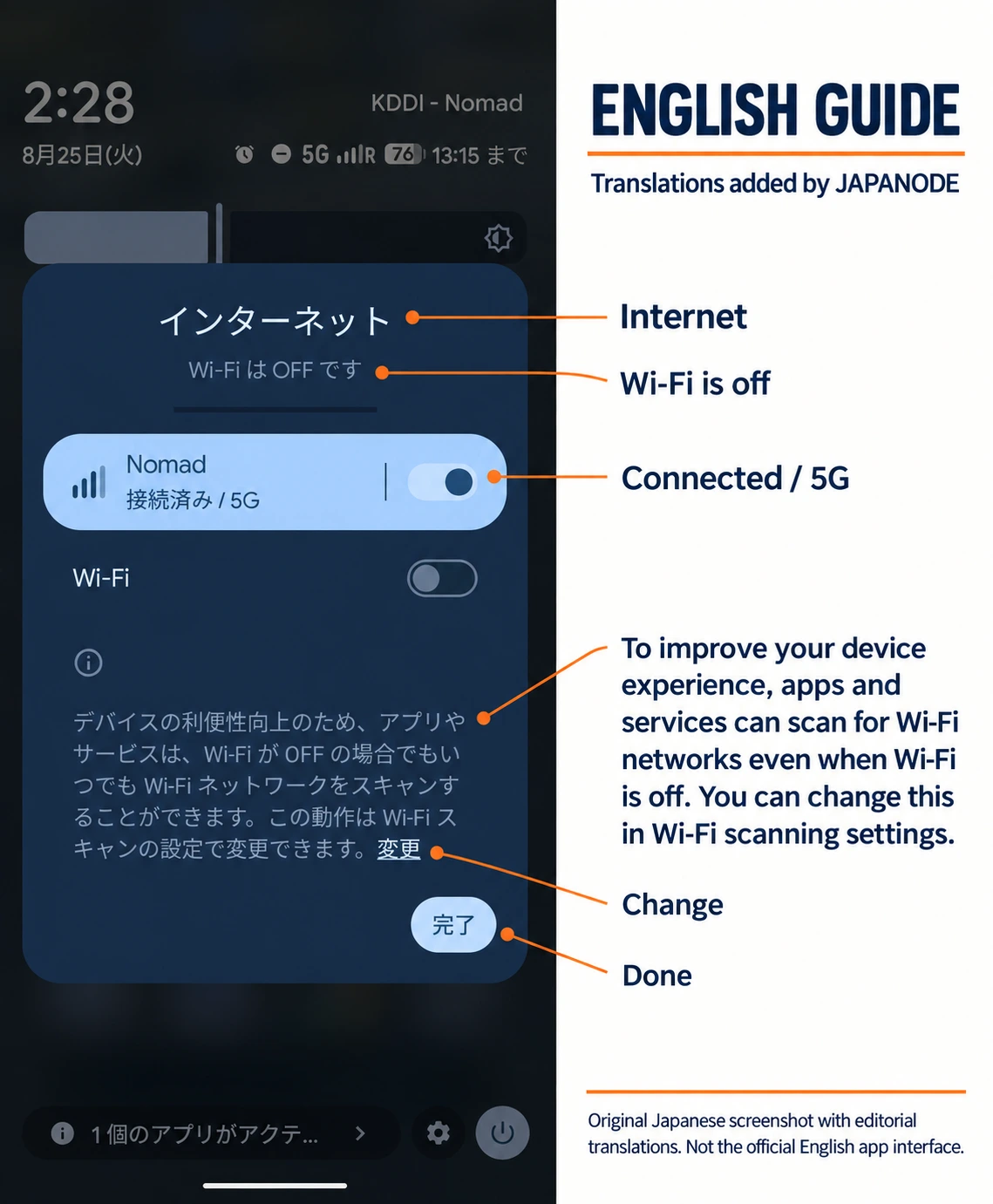
Our take: a good fit if you want to match the amount of data and destination coverage to your itinerary. Start with the Japan-only price for a Japan-only holiday. See our full Nomad eSIM review for Japan for the installation screenshots, what we used it for and the limitations of this test.
Nomad eSIM Japan plans
Best for
Flexibility: choose the data allowance and Japan-only or multi-country coverage that fit your trip
Before booking
Data-only; unlimited-style plans have speed limits. Our test did not cover tethering or remote areas.
Why it may fit
Match the data allowance to your use, then choose Japan-only or regional coverage. We found setup straightforward and daily use comfortable around Osaka on a Pixel 7.
2. Ubigi
Best for: Travelers who prioritize stated Docomo + KDDI access and 5G
Pricing (last checked August 22, 2026): 10 GB / 30 days $16.50. Unlimited-style plans were $25 for 7 days, $39 for 15 days and $65 for 30 days. Recheck the live plan because this exact price combination was not revalidated in the September update.
Ubigi is operated by Transatel, part of the NTT Group. Its official Japan plan page lists both NTT Docomo and KDDI (au) networks—useful when your itinerary extends beyond the largest cities. That stated network access makes it worth comparing for a wider route, without promising better reception at every address or on every device.
Pros:
- Officially listed Docomo + KDDI (au) access
- 5G supported where available
- Suitable starting point for wider itineraries that include rural or mountain destinations
- Plans can be managed by app or web dashboard
Cons:
- Data-only (no calls or SMS)
- The August price needs a fresh checkout confirmation before purchase
- "Unlimited" plans have fair-use terms; the 30-day plan previously listed a full-speed allowance before throttling
- Broader carrier access still does not guarantee reception on every trail, island or indoor location
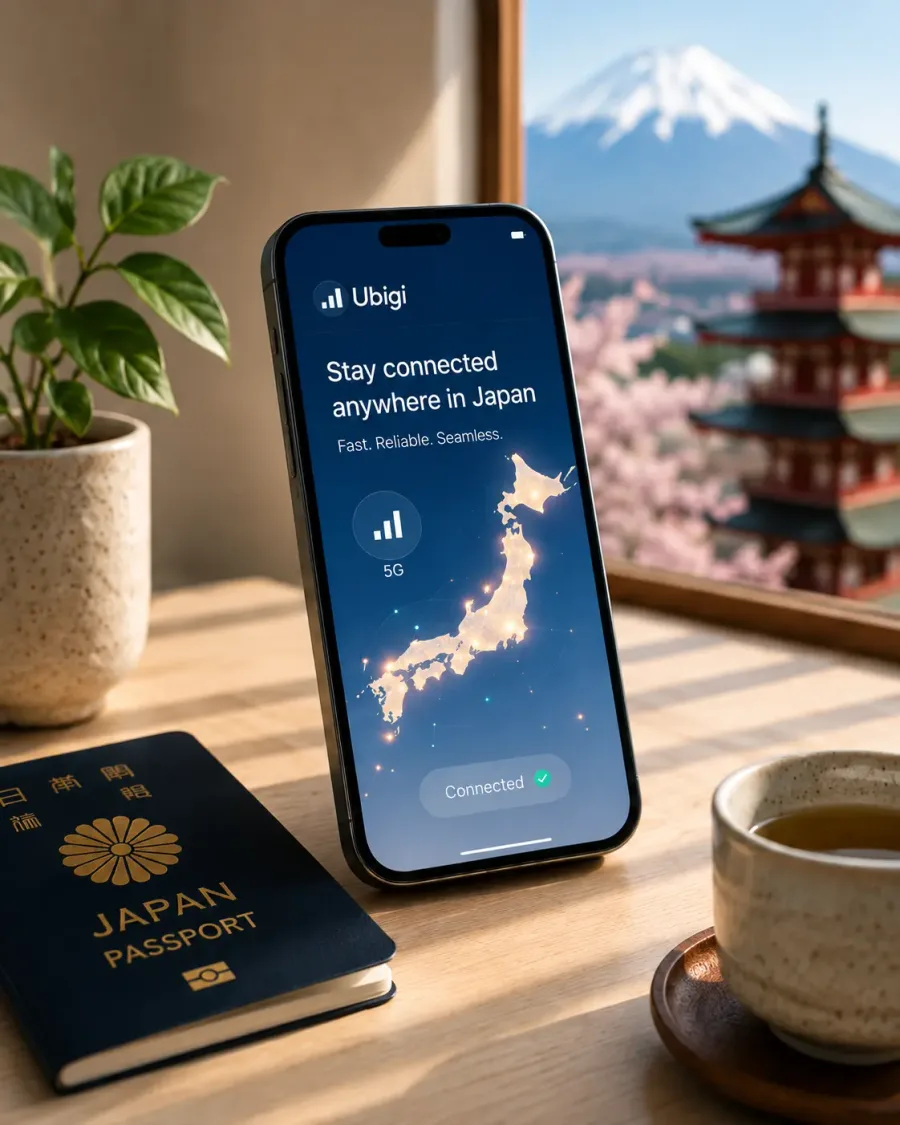
Ubigi Japan eSIM
Coverage-first option for wider Japan itineraries
Best for
Wider itineraries where listed Docomo + KDDI access and 5G matter
Before booking
The displayed August price needs a fresh checkout check; coverage still varies by place and device.
Why it may fit
Compare current Ubigi plans that list Docomo and KDDI access, then check device compatibility and the exact fair-use terms.
3. Airalo
Best for: Travelers who want a straightforward range of fixed-data plans
Pricing (checked September 19, 2026, USD): 5 GB / 30 days $11.00, 10 GB / 30 days $18.00, 20 GB / 30 days $25.00. Shorter-validity packages can show similar data amounts at lower prices—for example, 10 GB / 7 days was $17—so match both the data allowance and validity period before comparing.
Airalo is a large international eSIM marketplace, and its Japan "Moshi Moshi" offer includes fixed-data and unlimited-style options. It is the simpler comparison point when your trip stays mainly in Tokyo, Osaka and Kyoto and you want to choose a clear data bucket.
Pros:
- Broad range of fixed-data validity combinations
- App-based setup and top-up support
- The official Japan page showed SoftBank as the primary network plus one other network
- Useful alternative when a specific data bucket is cheaper for your dates
Cons:
- Data-only (no calls or SMS)
- Airalo did not state 5G on the Japan product page we checked. Plan for the listed network terms rather than assuming 5G
- No stated Docomo access on the checked plan page
- Provider pages can localize currency, so compare the final checkout total
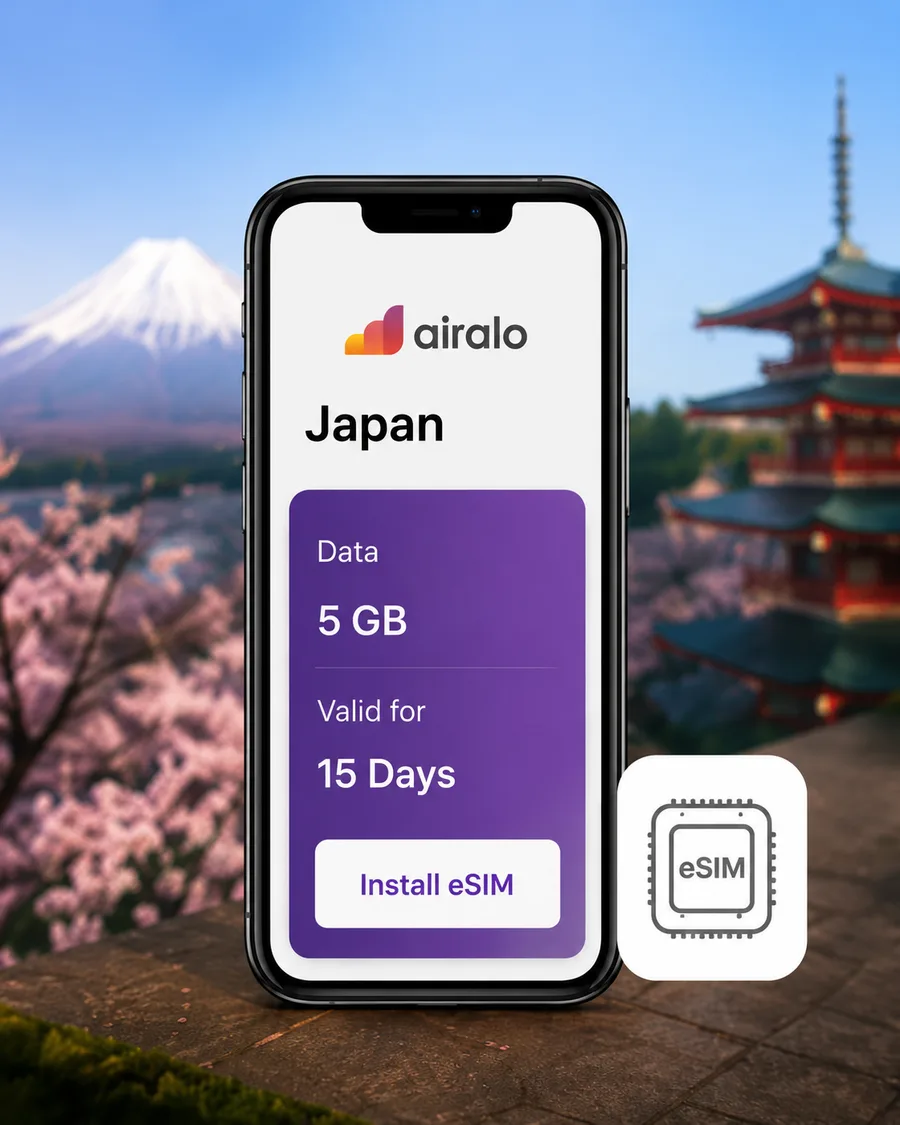

Airalo Japan eSIM
Flexible fixed-data plans for city-focused trips
Best for
City-focused trips that need a straightforward fixed-data plan
Before booking
Airalo did not state 5G on the checked Japan page; match both data allowance and validity before comparing prices.
Why it may fit
Compare the live Japan data allowance, validity and network details before checkout.
4. Holafly
Best for: Heavy data users who want unlimited data without thinking about it
Pricing (checked September 18, 2026): unlimited only — $11.90 / 3 days, $20.50 / 5 days, $27.50 / 7 days, $36.50 / 10 days, $50.50 / 15 days, $73.90 / 30 days.
Holafly's main selling point is unlimited data on flat day-rate plans. Stream music, video-call family, post Instagram stories — you don't think about a GB counter.
Pros:
- Unlimited-style data on simple flat-rate day plans
- 5G supported where available
- Runs on KDDI and SoftBank networks
- 24/7 customer support via live chat
- Easy setup with QR code
Cons:
- More expensive than metered alternatives — no small/cheap plans
- Hotspot/tethering capped at 1 GB per day — not suitable as a primary laptop connection
- Fair use policy applies: Holafly's own plan page says speeds may be reduced during periods of heavy network traffic for no more than one day, returning to normal the next day. It did not publish a specific monthly threshold when checked on September 18, 2026
- Data-only (no calls or SMS)


Holafly Japan eSIM
Unlimited-style phone data with 5% off for JAPANODE readers
Best for
Phone-heavy travelers who value unlimited-style data more than the lowest price
Before booking
Hotspot is limited to 1 GB per day, and fair-use speed management can apply. Check the live plan terms before paying.
Why it may fit
A simple day-based option for travelers who would rather not track a data allowance. The discount link opens Holafly's Japan plans and applies code JAPANODE.
JAPANODE5% OFF
5. Sakura Mobile
Best for: Longer stays and travelers who want a Japan-based provider
Plans (checked October 6, 2026): The current travel eSIM page lists a daily 3 GB plan on 5G Docomo and an unlimited-data plan on 5G au. These are different offers, so check the selected package and trip length for a current quote. We have not verified a current checkout price for this update. The hotspot guidance lists up to 30 GB of tethering for the 30-day unlimited plan; limits for other durations differ.
Sakura Mobile is a Japan-based provider serving visitors and longer-term residents, with English customer support in Japan. That may suit you if you want local support or are comparing travel data with a separate voice plan.
Sakura Mobile also sells travel SIMs and rents pocket WiFi; the provider card below links to its JAPANODE landing page.
Pros:
- Japan-based company with local English/Japanese support
- Offers NTT Docomo or KDDI (au) access depending on the selected travel plan
- Plans tailored for both short-term tourists and longer stays (1-3 months)
- 5G unlimited data plans available
- Separate voice + data plans available if you need a Japanese phone number (for hotel reservations, deliveries, etc.)
Cons:
- The daily-data and unlimited packages have different terms; compare a live quote for your trip length
- Voice + data is a separate monthly-service product with its own signup costs and terms, so compare the current total before choosing it for a short visit
- Website can feel dated
- Hotspot policies vary by plan — check before buying

Sakura Mobile
Japan-based SIM, eSIM & pocket WiFi with English support
Best for
Longer stays that benefit from Japan-based English support
Before booking
Network, hotspot and activation terms vary by plan; check a live quote for your travel dates.
Why it may fit
Travel plans use Docomo or KDDI (au), depending on the product, with Japan-based English support and separate voice options for longer stays.
How to Choose: Key Comparison Factors
Picking the right eSIM depends on your travel style. Here are the factors that actually matter:
Price vs. Data Amount
If you're on a budget and won't use much data, compare Airalo and Nomad eSIM at checkout. Nomad eSIM's 10 GB price was a promotion, so do not assume it will remain below Airalo. If you don't want to think about data at all, compare Holafly's unlimited plans with Ubigi's current unlimited-style options, but read each fair-use and hotspot rule before paying.
For a typical 7-10 day trip with moderate usage (Google Maps, messaging, social media, some photo uploads), 5-7 GB is usually sufficient. That puts you in the $9-$15 range with most providers.
Coverage Quality
If your itinerary includes rural areas — hiking in the Japanese Alps, visiting temples in remote Shikoku, or driving around Hokkaido — consider a plan that explicitly lists NTT Docomo access, such as Ubigi or Sakura Mobile's applicable Docomo-based option. Check the carrier's current coverage map for your exact route; provider names alone do not guarantee service on every trail or island.
For Tokyo, Osaka, and Kyoto-only trips, the listed providers all offer plausible options, but building interiors, device compatibility and the selected plan's network still affect actual service.
5G Support
In 2026, 5G is widely available across major Japanese cities. Ubigi, Holafly, and Sakura Mobile state 5G support explicitly. Airalo did not state 5G on the Japan plan page checked September 19, 2026, so plan around the terms shown at checkout rather than assuming 5G. Nomad eSIM's 5G support varies by plan.
Hotspot / Tethering
This is a frequent surprise for travelers. If you need to share data with a laptop or another phone:
- Holafly caps hotspot at 1 GB per day — not viable as a primary laptop connection
- Airalo, Nomad eSIM generally allow hotspot freely on metered plans
- Sakura Mobile policies vary — check before buying
- If your priority is heavy laptop use, consider a pocket WiFi instead (see below)
Speed
Everyday usability matters more than a peak-speed claim. In our Nomad eSIM use around Osaka, Google Maps, social apps and YouTube worked without inconvenience. We have not established a controlled speed ranking across these providers. Streaming video quality varies, especially during peak hours in busy areas like Shibuya or Shinjuku. For plans labeled unlimited, check whether the product has a daily allowance, a monthly full-speed threshold, network-management terms, or a hotspot cap; the rules are not the same across providers.
Customer Support
Holafly advertises 24/7 live chat. Airalo, Nomad eSIM, and Ubigi provide app or web support, but response time can vary. Sakura Mobile provides English/Japanese support staffed in Japan — useful if you prefer a locally based provider. Check the current contact channels before purchase if immediate support matters to you.
Step-by-Step: How to Set Up Your eSIM Before Your Trip
Setup menus and timing vary by device and provider. These are the usual steps; follow the instructions for the plan you bought.
Step 1: Check Your Phone's Compatibility
- iPhone: Apple lists eSIM support from iPhone XS, XS Max and XR onward, but availability differs by sales region. US-market iPhone 14 and later models are eSIM-only.
- iPhones sold in mainland China, Hong Kong, or Macau: eSIM availability differs by model and region. Check Apple's current support page for the exact model number.
- Android: Pixel and Galaxy support varies by model, carrier and sales country. Do not rely only on the series name; check the manufacturer's settings/support page and the provider's compatibility checker.
- Your phone must be carrier-unlocked. If you bought it through a carrier on a payment plan, contact them to confirm it's unlocked.
Step 2: Purchase Your eSIM Plan
Download the provider's app (Airalo, Holafly, etc.) or visit their website. Select a Japan plan that matches your trip length and expected data usage. Complete the purchase — you'll receive a QR code via email or in the app.
Step 3: Install the eSIM Profile (Before You Fly)
On iPhone:
- Go to Settings > Cellular > Add eSIM (or Add Cellular Plan)
- Tap "Use QR Code" and scan the code
- Label it something clear like "Japan Travel"
- Follow the plan's instructions on when to enable it; select it for mobile data when you are ready to use it
On Android:
- Go to Settings > Network & Internet > SIMs > Add eSIM
- Scan the QR code from your provider
- Follow the on-screen prompts to complete installation
- Follow the plan's instructions on when to enable it; select it for mobile data when you are ready to use it
Install ahead of travel only if your chosen plan allows it without starting its validity period. Activation depends on the exact plan, and any purchase-to-activation deadline still applies:
- Starts on a destination network (e.g., Ubigi Smartstart) — install ahead when permitted, then the plan starts when it connects in the covered destination
- Activate immediately on install — your validity starts now, so install close to your departure
- Manual activation — you press a button when ready
Check your provider's rules. Otherwise the clock might start while you're still at home.
Step 4: Configure Your Lines
On a compatible dual-SIM phone, configure the travel line for when you arrive in Japan:
- Mobile data: Select the Japan eSIM when you are ready to use it in its covered destination.
- Home line: Keep it enabled only if you need your home number, and turn off data roaming for that line. Calls and texts may still incur home-carrier charges.
- Automatic data switching: Review this setting and disable it if you want to prevent data from switching back to your home line.
- Travel-line data roaming: Follow the eSIM provider's instructions; most travel eSIMs require it to be ON.
Apple's travel eSIM guidance also explains that using both lines can still lead to home-carrier roaming fees. Turning off home-line data roaming does not make calls and texts free.
A common mistake: your eSIM is installed but you forgot to enable Data Roaming for that line. Most travel eSIMs require this setting to be ON, even though you're using a local Japanese network. Without it, you'll have no data.
Step 5: Connect on Arrival
When your plane lands at Narita, Haneda, Kansai, or any Japanese airport:
- Turn off Airplane Mode
- Make sure the eSIM line is selected for cellular data
- Allow the phone to connect to a supported network; connection time varies
- Check that mobile data works before relying on it for navigation. If it does not, follow the provider’s troubleshooting instructions.
If you use Visit Japan Web, complete registration before flying and save your unified 2D code. It is an online option for arrival procedures; it is not a requirement to enter Japan.
Physical SIM Alternatives (For Phones Without eSIM)
If your phone doesn't support eSIM, you still have options:
Airport SIM Vending Machines
You'll find SIM card vending machines at all major airports (Narita, Haneda, Kansai). Brands commonly seen include AnyFone JAPAN, J Walker SIM, and Prepaid SIM for Japan (NTT Communications). Prices typically range from ¥2,000-¥5,000 for 7-30 day plans.
How it works:
- Find a vending machine in the arrivals hall
- Select a plan (they have English instructions)
- Pay with cash or credit card
- Insert the SIM into your phone using the included ejector tool
- Follow the APN setup instructions on the packaging
Airport SIM Counters (Staffed)
Mobal and SoftBank operate staffed counters at major airports where you can buy a SIM and get setup help. Slightly more expensive than vending machines, but better if you want hands-on assistance.
BIC Camera / Yodobashi / Electronics Stores
Major electronics retailers like BIC Camera and Yodobashi Camera sell prepaid SIM cards (BIC Camera SIM, IIJmio, and others). Staff can help you set it up. Good option if you arrive late and the airport options are closed.
Pre-Order for Airport Pickup
Some providers let you order online and pick up a physical SIM at the airport. Mobal and Sakura Mobile both offer this. It saves time since the SIM is ready when you arrive.
If you swap your physical SIM, keep the original in a safe place. A small zip-lock bag in your wallet works well. Losing a SIM abroad is a headache you don't need.
Pocket WiFi: Is It Still Worth It?
Pocket WiFi (mobile WiFi routers) used to be the default recommendation for Japan. They still have their place, but for most travelers in 2026, eSIM is the better choice. Here's when each option makes sense:
If you have not chosen the connection type yet, start with our Pocket WiFi vs eSIM comparison for Japan. It compares group size, independent use, pickup and return logistics, device compatibility and total cost before you choose a provider.
When Pocket WiFi Still Wins
- Groups of 3+: One pocket WiFi can connect 5-10 devices. Split between a group, it's often cheaper per person than individual eSIMs.
- Older phones: If nobody in your group has an eSIM-compatible phone.
- Heavy laptop work: Pocket WiFi provides a dedicated hotspot, but its data allowance and fair-use limits still need to match your workload. Compare the exact rental plan with the eSIM’s hotspot terms.
When eSIM Wins
- Solo travelers or couples: No device to share, charge, or keep track of.
- Light packers: One less thing to carry.
- Spontaneous travelers: No pickup/return logistics at the airport.
- Reliability: Your phone is always connected. No "wait, where's the WiFi device?" moments.
Popular Pocket WiFi Rental Options
If you do want pocket WiFi, the main rental services are:
- Japan Wireless: Reliable with good coverage. Pickup at major airports.
- Ninja WiFi: Competitive pricing with convenient airport counter locations.
- Sakura Mobile: Also rents pocket WiFi alongside their SIM offerings, with English support.
- CDJapan Rental: Hotel delivery option in addition to airport pickup.
Expect to pay ¥800-1,500 per day ($5-10) for pocket WiFi rental.
Tips for Saving Mobile Data in Japan
Even with a generous data plan, these habits will help you get the most out of your data:
1. Download Offline Maps
Download the areas you need in Google Maps while on hotel WiFi. The saved map is a useful backup, but Google Maps does not provide transit, walking or cycling directions offline. Keep mobile data available for those routes.
2. Use Japan's Free WiFi (Where It Still Exists)
Japan's free WiFi landscape has shifted. Some old standbys ended:
- 7-Eleven's 7SPOT ended March 31, 2022
- FamilyMart's Famima_Wi-Fi ended July 31, 2022
Look for WiFi at participating locations and check the current service and login limits:
- Hotels, cafes, fast-food outlets, shopping malls and department stores: ask staff or check the posted network information.
- Participating Lawson stores: the official service page lists email registration and up to five 60-minute sessions per day.
- Selected JR East stations and travel service centers: availability varies by location. The Ueno travel service center, for example, lists free WiFi.
Do not plan around Tokyo Metro Free Wi-Fi: its official page currently says the service is suspended for equipment upgrades.
Use free WiFi for heavy tasks like uploading photos or updating apps, and save your mobile data for on-the-go navigation.
3. Adjust App Settings
- Turn off auto-play for videos on social media (Instagram, Twitter/X, TikTok)
- Set messaging apps to download media only on WiFi
- Disable automatic app updates over cellular data
4. Pre-Download Content
Download Netflix episodes, Spotify playlists, and podcast episodes before leaving your hotel each morning. Many hotels have fast WiFi — take advantage of it.
5. Consider LINE for Local Communication
LINE is Japan's dominant messaging app and compresses images heavily by default — it uses less data than sending full-resolution photos. It's also genuinely useful: many hotels, tour operators, and some restaurants prefer LINE for guest communication. Worth installing before you go, though you don't strictly need it for every part of your trip — WhatsApp, Instagram DM, and email work fine too.
LINE is widely used in Japan for hotel/tour bookings and local services. Installing it before your trip can smooth communication with some accommodations. It's not mandatory — most tourist-facing businesses also use email and English — but it's a low-cost addition.
Our Verdict: Which eSIM Should You Get?
Here's our quick recommendation based on travel style:
- Best for flexibility: Nomad eSIM — Straightforward setup and comfortable everyday use in our Osaka test, with a choice of data allowances and Japan-only or regional coverage. The Japan-only 10 GB / 30-day offer was $16 on sale when checked October 9.
- Coverage-first starting point: Ubigi — Stated Docomo + KDDI access and 5G make it the first comparison for a wider itinerary; confirm the live price and fair-use terms.
- Best flexible city-trip alternative: Airalo — Broad plan selection, but not always the cheapest at larger data amounts. Skip it if you specifically need stated 5G support or Docomo access.
- Best for heavy phone use: Holafly — Unlimited-style phone data with fair-use conditions; its 1 GB/day hotspot cap makes it less suitable for heavy laptop work.
- Best for longer stays: Sakura Mobile — Japan-based English support, with Docomo- or au-based options depending on the plan and separate voice plans if you need a Japanese number.
For a typical 7-14 day trip, compare Nomad eSIM first if you want the kind of straightforward setup and everyday phone use we experienced around Osaka. Choose Japan-only coverage for Japan alone, or consider a regional package when it matches your next stop. Compare Ubigi when explicit Docomo + KDDI access matters for your route, Airalo for another fixed-data offer, and Holafly when its unlimited-style terms and hotspot cap fit your use.
Once you choose a plan, check its activation rules and install before your flight if those rules allow it. Having your connection ready helps with navigating the train system and finding your accommodation. If it's your first visit, our First Time in Japan guide covers the other preparations.
Coverage-first pickUbigi Japan eSIM Plans
Why it may fit
Our coverage-first starting point for travelers who value stated Docomo + KDDI access and 5G. Confirm the exact plan price, device support and fair-use terms before paying.
Before booking
Check the live price, availability, eligibility, and terms before paying.
Price reference dates: September 19, 2026 for Airalo; September 18 for Holafly; October 9 for Nomad eSIM; August 22 for Ubigi. Sakura Mobile plan types were checked October 6; no current checkout price is quoted. Plan availability, promotions, networks and fair-use terms can change. Confirm the details of your selected offer before purchase. Plan sources: Airalo Japan, Ubigi Japan plans, Holafly Japan, Nomad eSIM Japan, Sakura Mobile travel eSIM. Device sources: Apple eSIM support and Samsung eSIM overview.
Make it your trip
Still planning your Japan trip?
Pick the question on your mind. Compare your options, check the details and take one more thing off your list.
Would a JR Pass save you money?
Add your train journeys and compare individual tickets with the nationwide pass. See which costs less for your route.
Calculate my rail costs
What should your travel insurance cover?
Compare medical cover, cancellation and activity limits across five options, with the exclusions worth checking.
Compare cover & limits
How much can you fit into one week?
Connect Tokyo, a Fuji or Hakone day trip, Kyoto and Osaka with a day-by-day route, travel costs and booking advice.
Explore the 7-day routeFrequently Asked Questions
Install before you fly when the provider allows advance installation. Activation timing is separate and varies by plan: Ubigi Smartstart, for example, starts on arrival, while some other plans begin when the eSIM first connects or is activated. Follow the instructions for the exact plan you bought so its validity period does not start early.
Many recent phones support eSIM, but model and sales region matter. Apple supports eSIM on iPhone XS, XS Max, XR and later models, with exceptions in some regions. Google Pixel and Samsung Galaxy support varies by model, carrier and country. Check the exact model number against both the phone maker's and eSIM provider's compatibility lists before buying, and confirm the phone is carrier-unlocked.
Most travel eSIMs are data-only — no Japanese phone number for traditional calls or SMS. Use apps like WhatsApp, LINE, or FaceTime over your data connection. If you need a Japanese number (for hotel reservations, deliveries, or longer stays), Sakura Mobile offers separate voice + data SIM/eSIM plans, though they require an activation fee.
As a planning estimate, 5-7 GB may suit a week of maps, messaging, social media and occasional photo uploads. Heavy video users may need 10+ GB or an unlimited-style plan with suitable speed limits. Download maps on hotel WiFi as a backup, but Google Maps needs a connection for public-transport and walking directions.
Not necessarily at full speed without conditions. Nomad eSIM's Japan unlimited plans reduce speeds after the first 2 GB; check the selected plan's current terms before purchase. Ubigi's 30-day unlimited plan provides 60 GB at full speed before 2 Mbps. Holafly reserves the right to manage speeds under its fair-use policy. Sakura Mobile has separate daily-data and unlimited offers with plan-specific hotspot rules. Read the exact terms rather than relying on the word 'unlimited.'
It varies. Most metered plans allow hotspot freely. Unlimited plans often cap hotspot/tethering — Holafly limits hotspot to 1 GB per day, for example. If you need to work from your laptop, check the provider's hotspot policy before buying, or consider a pocket WiFi for group/laptop use.
eSIM is more convenient for solo travelers and couples — no device to carry, charge, or return. Pocket WiFi can be better for groups of 3+ sharing one device, or if your phone doesn't support eSIM, or if you need heavy laptop work.

Written by
JAPANODE
Based in Japan, sharing real travel tips & local insights for visitors. Follow us on Instagram @thejapanode for daily Japan content.


