On this page
Japan is an easy country to travel around with mobile data and a frustrating one without it. Train platforms change, restaurants sit several floors above street level, and the last bus in a rural area may not be obvious from the stop. The question is no longer whether you need a connection. It is whether that connection should live inside your phone or inside a separate router.
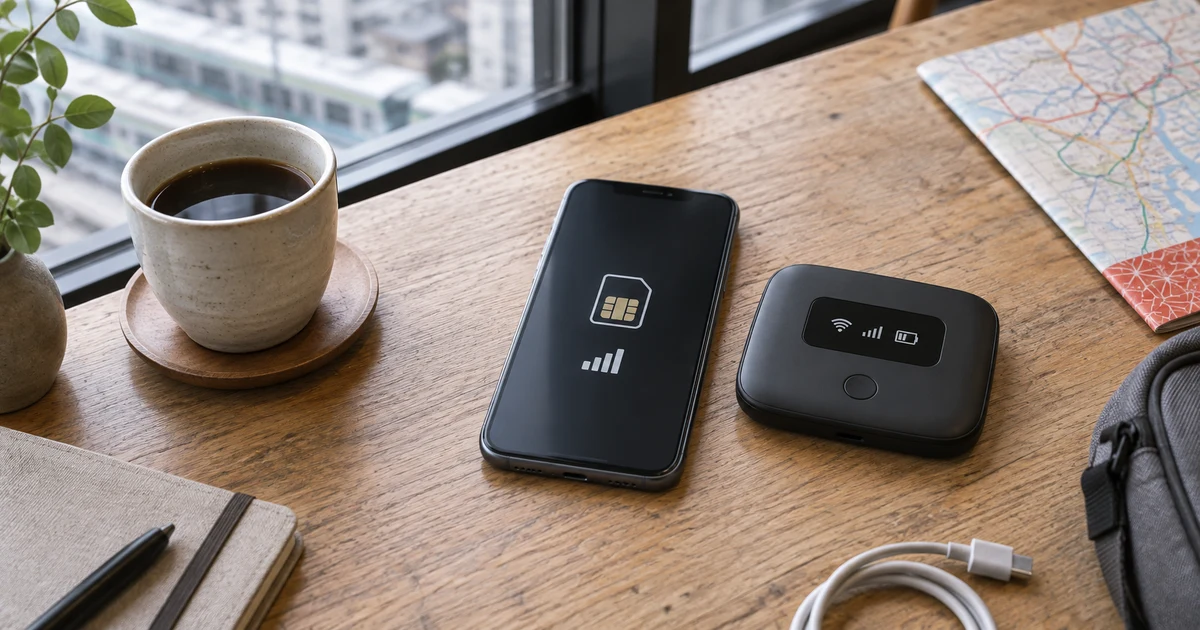
For most visitors in 2026, an eSIM is the better default. It is usually cheaper for one person, works as soon as it connects in Japan, and gives you nothing extra to collect, carry, charge or return. Pocket WiFi still makes sense for a narrower group: people with locked or incompatible phones, families that remain together all day, and travelers connecting several devices to one shared line.
The important distinction is not simply “one person versus a group.” It is independent internet versus shared internet. Four people can share one pocket WiFi only while they remain close to the person carrying it. Two people with separate eSIMs can take different trains, meet later and still message each other.
This comparison uses official device and provider information checked on September 19, 2026. We do not treat the connection type as a guarantee of speed or coverage: an eSIM, physical SIM and pocket WiFi can all depend on the same Japanese mobile networks. Check the network, data allowance and fair-use terms of the exact plan you buy.
This article contains affiliate links. If you buy through them, JAPANODE may earn a commission at no additional cost to you. The recommendation is based on the trip type, not the commission.
Quick Answer: eSIM for Most Travelers, Pocket WiFi for Four Specific Cases
Choose an eSIM if:
- You are traveling alone or as a couple with compatible unlocked phones.
- You want internet immediately without visiting an airport counter.
- Members of your group may explore separately.
- You do not want another device or charging cable in your bag.
- You are comfortable following a short phone setup process.
Choose pocket WiFi if:
- Your phone is carrier-locked or does not support eSIM.
- Your group stays together and wants to share one connection.
- You regularly need to connect a laptop, tablet, game console and multiple phones.
- You would rather enter a WiFi password than change mobile-network settings.
Choose a physical prepaid SIM if your phone is unlocked and has a SIM tray but does not support eSIM, and you want your own connection without carrying a router.
There is also a fourth possibility: buy nothing. Before paying for any travel plan, check whether your home carrier already includes usable Japan roaming. Compare the full cost, high-speed data allowance and roaming limits—not only whether “Japan is included.”
If your phone is unlocked and supports eSIM, start with eSIM. Move to pocket WiFi only when sharing several devices, avoiding phone setup or working around an incompatible phone is more important than independent connectivity.
Pocket WiFi vs eSIM vs SIM Card: Key Facts
| Factor | eSIM | Pocket WiFi | Physical SIM |
|---|---|---|---|
| Best for | Solo travelers, couples and people who split up | Groups staying together, many devices, locked phones | Unlocked phones without eSIM |
| Where the connection lives | Inside each compatible phone | In one portable router | Inside one compatible phone |
| Pickup required | No | Usually airport, hotel, post office or delivery | Sometimes |
| Return required | No | Yes | No |
| Extra device to charge | No, although tethering drains the phone | Yes | No |
| Works when the group separates | Yes, if each person has a plan | No | Yes, if each person has a SIM |
| Laptop/tablet use | Through tethering when the plan permits it | Direct WiFi connection | Through tethering when permitted |
| Main risk | Compatibility or setup problem | Battery, return deadline or loss | Compatibility, SIM storage or APN setup |
| Typical way you pay | Per person or phone plan | Per router and rental period | Per person or phone plan |
The table explains why “pocket WiFi is best for families” is incomplete advice. A family with two adults and two young children may need only two eSIMs. A family with teenagers who explore different shops or attractions may prefer four independent connections. A group of four adults who stay together and use several devices may get more value from one router.
Coverage is a separate decision. Pocket WiFi does not create a special WiFi network across Japan; the router itself connects to a Japanese mobile carrier and then shares that connection with your devices. An eSIM and physical SIM do the same job inside the phone. For a rural itinerary, inspect the underlying carrier and its current coverage map rather than assuming one format is stronger.
For a firsthand example, our Nomad eSIM review for Japan follows app setup and everyday use around Osaka on a Pixel 7, with screenshots and clear limits on what we tested.
What Each Option Really Costs for 7, 10 and 14 Days
The honest way to compare price is:
eSIM total = price per plan × number of people who need independent service
Pocket WiFi total = router rental + delivery or pickup costs + optional insurance + any late or loss charges
Do not automatically multiply the eSIM price by every person in the booking. A six-year-old using a parent’s phone does not need an eSIM. Do not automatically divide the router price by the whole group either. If two people spend a day apart, one shared router is not providing four people with equivalent service.
As a current price reference, Sakura Mobile’s official pocket WiFi page listed:
| Rental period | Listed pocket WiFi price |
|---|---|
| 7 days | ¥9,900 |
| 10 days | ¥13,500 |
| 14 days | ¥18,300 |
These figures were checked on September 19, 2026. Sakura’s page also advertised a lower “from” daily rate for long rentals, so do not multiply that headline rate by a short trip. Use the dates in the provider’s price simulator and check the final tax, delivery and insurance total.
For comparison, the official Airalo Japan page displayed prices in euros during our September 19 check: €9 for 5 GB over 7 days, €15.50 for 10 GB over 7 days, and €16 for 10 GB over 30 days. Airalo localizes currency and can change packages, so these are a dated snapshot rather than a promise of your checkout price.
This produces very different decisions:
| Travel party | What to compare | Likely starting point |
|---|---|---|
| One person, one phone | One eSIM against one complete router rental | eSIM |
| Two people who may separate | Two eSIMs against the value of only one shared connection | eSIM |
| Two adults and young children | Two adult eSIMs against one router | Compare total cost and devices |
| Four adults staying together | Four eSIMs against one router | Pocket WiFi may be better value |
| Four adults splitting up | Four independent plans against two or more shared connections | eSIM or physical SIM |
Price also depends on data use. Maps, messaging, train searches and occasional photo uploads do not require the same plan as daily video streaming or hours of laptop work. A cheap fixed-data eSIM can beat a router for normal sightseeing, while one high-data router may be more practical for several people working from laptops.
The word unlimited does not settle the comparison. Check high-speed allowances, daily throttling, hotspot caps and network-management policies. A plan can offer unlimited phone data but restrict how much can be shared with a laptop.
Why eSIM Is the Best Default for Most Japan Trips
The main advantage of eSIM is not download speed. It is that the connection follows the traveler rather than the group.
You can buy and install a travel eSIM before departure when the provider permits it. Once in Japan, you select the travel line for mobile data and follow that provider’s activation and roaming instructions. There is no counter to find after a long flight and no return task competing with check-in, security and your final train to the airport.
That independence matters in ordinary travel situations:
- One person can queue for a restaurant while another shops nearby.
- A couple can take different trains after a missed connection and still message.
- A parent and teenager can separate inside a large station.
- Each traveler can use maps without remaining beside the person carrying a router.
On supported dual-SIM phones, your home line can remain available for calls or verification messages while the travel eSIM handles data. This is useful, but it requires care. Your home carrier may charge for roaming calls, data or even some incoming activity. Disable data switching to the home line unless you understand the charges.
The tradeoffs are compatibility and setup. Apple says travel eSIM use requires an unlocked iPhone, and its current travel guidance lists the iPhone XS, XS Max, XR or later as the supported generation baseline. Regional exceptions exist, so check the exact model—not just the name printed on the box. Android support varies even more by model, sales region and carrier.
Tethering can replace pocket WiFi for occasional laptop use, but it turns your phone into the router. That means more battery use, more heat and a shared data allowance. It is an excellent fallback for sending email or working for an hour; it may be a poor plan for four people streaming and uploading all day.
If eSIM is the right format, the next decision is which provider and plan. Our Japan eSIM comparison separates current price, stated Japanese network access, 5G, hotspot rules and fair-use limits.
In a hurry? Here's the short answer
Start with the route that matches your trip: broader stated network access and 5G, or a simple flexible data plan. Compare the live plan details before checkout.

Start here if stated Docomo + KDDI access and 5G matter for a route beyond the largest cities.
Choose Japan and a one-off plan for a single trip. Billing currency follows your account residence; Taiwan, Hong Kong, South Korea and Thailand use USD. Provider details
Check Ubigi Plans
We used a regional Nomad eSIM plan on a Pixel 7 around Osaka. Compare Japan-only and regional plans for your own trip.
Read our Osaka review · Nomad eSIM sponsored our review and provided the test plan.
15% off eligible plans
Enter code JAPANODE at checkout.
Once per user. Excludes unlimited plans, add-ons, plans under US$5 and Thailand 50 GB. Confirm the discount at checkout.
For a fixed-data plan, choose the GB and validity days below the unlimited options. Check the selected plan and payment currency before buying. Provider details
Check Nomad eSIM plansWhen Pocket WiFi Is Still the Better Choice
Pocket WiFi wins when one shared connection is a feature rather than a restriction.
The clearest case is a group that stays together and carries several WiFi devices. One router can connect phones, tablets and laptops without requiring each device to support eSIM or accept a travel SIM. It can also be simpler for a carrier-locked phone: the phone may reject another mobile plan, but it can still connect to a portable router like any other WiFi network.
It is also easier for someone who does not want to change cellular settings. A rental router normally arrives configured. Turn it on, select its network name on your device, enter the password and connect. That removes questions about mobile-data lines, APN settings and data roaming.
Sakura Mobile’s current pocket WiFi page says its travel router uses Docomo 4G/LTE, supports up to 15 simultaneous connections and has a stated battery life of up to 20 hours. Those are product-specific claims, not universal pocket WiFi standards. Another rental may use a different network, connect fewer devices or have a shorter battery estimate.
The shared-router problem
The router must stay near every device using it. If one person carries it to TeamLab while another goes to a department store, only one side keeps the connection. This matters more than the advertised device count.
For families, ask two questions:
- Will everyone stay together during every independent part of the day?
- If someone gets separated in Shinjuku Station, do they have another way to message or navigate?
A sensible family compromise can be one shared router plus one independent phone connection for the adults. It costs more than relying entirely on the router, but it removes a single point of failure.
Pickup and return are part of the product
Sakura Mobile offers pickup at Narita, Haneda, Kansai, Fukuoka and New Chitose airports, as well as hotels, post offices and other listed locations. Its return package includes a prepaid envelope that must be placed in a Japan Post mailbox by midnight on the return date.
Check the counter and terminal before choosing airport pickup. “Narita pickup” is not enough information if your flight arrives after the counter closes or the desk is in another terminal. Our Narita Airport transport guide and Haneda Airport transport guide can help you place the pickup inside the rest of your arrival route.
Postal return can be easier when you fly out of a different airport, but it creates a deadline. Pack the return envelope where you will see it, and identify a postbox before the final morning.
Loss and damage can erase the savings
A router is rented equipment. Sakura Mobile’s support page, updated August 21, 2026, listed ¥30,000 compensation for a lost or damaged pocket WiFi without its insurance and ¥3,000 with the insurance. Accessories have separate amounts. This is one provider’s policy, but it illustrates why the cheapest headline rental is not the complete risk.
If you rent a router, check:
- Router, cable, adapter and case replacement charges
- Whether optional insurance covers loss as well as accidental damage
- Police-report requirements for an insurance claim
- Late return and extension fees
- The return deadline and accepted return method
 Shared-device option
Sakura Mobile Pocket WiFi
One shared router for a group that stays together
Why it may fit
Compare the live total for your exact dates, then confirm the Japanese network, pickup location, return deadline, insurance and fair-use terms before booking.
Before booking
Check the live price, availability, eligibility, and terms before paying.
Physical SIM: The Useful Fallback, Not the Default
A physical prepaid SIM sits between eSIM and pocket WiFi. It gives one phone its own mobile connection without a separate router, but the phone needs to be unlocked and have a compatible SIM tray.
It is most useful when:
- The phone does not support eSIM.
- The phone is unlocked and accepts the SIM format.
- You want to explore independently.
- You do not want to collect, charge and return a router.
- You are comfortable changing the SIM and, if required, APN settings.
The disadvantages are small but real. If the phone has only one physical slot, you need to remove and safely store your home SIM. You may lose easy access to calls or SMS on the home number while it is removed. A tiny SIM is also easier to misplace than an eSIM profile.
Do not assume a tourist SIM includes a Japanese telephone number. Many short-stay products are data-only, just like most travel eSIMs. If voice calls or SMS matter, select a product that explicitly includes them and check its registration requirements.
Physical SIM is therefore not obsolete. It is simply no longer the first option for a compatible modern phone. It is the cleanest fallback for an unlocked, non-eSIM device when the traveler wants an individual connection.
Choose by Travel Style: Solo, Couple, Family or Workation
Solo traveler with one recent phone
Choose eSIM unless your home roaming is already competitive. One traveler pays for one plan and avoids all rental logistics. Pocket WiFi adds a second battery, a second object to protect and a return task without creating a sharing advantage.
Couple who stays together
Compare one router with two appropriately sized eSIMs. Pocket WiFi may be cheaper if both people use a lot of data and remain together. Two eSIMs are usually more flexible: either person can leave the hotel, shop separately or navigate after a missed train without borrowing the connection.
Do not buy two large eSIM plans automatically. One person may need a normal plan while the other needs only maps and messaging. Different data allowances can be cheaper than either two identical plans or an unlimited router.
Family with young children
Count devices and users separately. Two parents, two small children, two phones and one tablet may need only two independent plans. If the tablet is used mainly at the hotel, hotel WiFi may cover it.
Pocket WiFi becomes more attractive when several devices need data throughout the day and the family reliably stays together. Keep one adult’s home roaming or a small eSIM available as backup if the router battery dies or the group separates.
Family with teenagers or a group of friends
Independent connections are more valuable. The group may split between shops, attractions or train cars. A router advertised for 10 or 15 devices still provides only one location-dependent connection.
Start with one eSIM per person who needs to navigate alone. Compare smaller fixed-data plans instead of assuming everyone needs unlimited data.
Business traveler or workation
Look beyond the word “unlimited.” Check hotspot allowance, high-speed thresholds, video-conferencing needs and whether the accommodation has dependable WiFi.
For occasional laptop work, an eSIM with permitted tethering is simpler. For several devices or long daily sessions, a dedicated router may reduce strain on the phone. A business-critical trip benefits from two different failure paths—for example, hotel WiFi plus an eSIM, or pocket WiFi plus a small phone plan.
Rural or mountain itinerary
Choose the network before the format. A pocket WiFi router and an eSIM can perform differently only because of the carrier, radio bands, device and exact location behind them—not because one says “WiFi.”
Check the provider’s stated Japanese carrier and the carrier’s official coverage map for your route. No option guarantees reception on every trail, island, tunnel or mountain road. Download maps, booking details and essential addresses offline before leaving a reliable connection.
Compatibility, Setup and Common Failure Points
Most bad connectivity purchases can be prevented before payment.
Check whether the phone is unlocked
On an iPhone, Apple instructs users to open Settings → General → About and look beside Carrier Lock. “No SIM Restrictions” indicates that the phone is unlocked. If it is locked, contact the home carrier before the trip. Buying a travel eSIM does not bypass a carrier lock.
Android wording varies. Check the carrier account, exact model documentation and the travel provider’s compatibility instructions. Do not rely only on a generic list that says “Samsung Galaxy” or “Google Pixel.”
Check the exact eSIM model and sales region
Apple’s travel eSIM guidance lists iPhone XS, XS Max, XR and later as the main supported generations, but regional hardware differences remain. Models sold in mainland China and some Hong Kong or Macao configurations need special attention.
Google explains that Pixel phones can store and manage eSIM profiles, while dual-active behavior depends on the model and carrier. Samsung support also varies by model, carrier and market. Match the model number in the phone’s settings to both the manufacturer’s and provider’s current lists.
Separate installation from activation
“Install before departure” does not always mean “start the validity period before departure.” Providers use different activation rules. Some plans begin when they first connect to a supported network; others can begin during installation or manual activation.
Read the instructions for the exact plan. Save the QR code, APN details and troubleshooting steps offline, but do not activate early unless the provider tells you to.
Check tethering before assuming it replaces a router
Many fixed-data eSIMs allow tethering, but unlimited-style plans may cap it or apply separate fair-use terms. Confirm:
- Whether hotspot use is permitted
- Whether it has a separate allowance
- What happens after the high-speed amount is used
- How much phone battery a typical work session will consume
Save the pocket WiFi logistics
Before flying, screenshot the pickup address, terminal, counter hours and reservation number. Save the return instructions too. If you arrive at Narita and depart from Kansai, confirm that postal return or a different-airport return is allowed.
For the rest of the arrival checklist—including airport transport, IC cards and essential apps—use our first-time Japan guide.
Final Decision: Choose the Connection That Still Works When Plans Change
Choose based on the failure you would rather avoid.
- Choose eSIM if you want independent internet, no rental logistics and the simplest option for one or two compatible phones.
- Choose pocket WiFi if your devices cannot use eSIM, your group stays together, or several WiFi devices genuinely need one shared connection.
- Choose physical SIM if your unlocked phone lacks eSIM support and you still want a direct, independent connection.
- Use home roaming if its real cost and high-speed allowance already beat buying a separate service.
For most visitors, the answer is eSIM. It removes the airport errand and the return deadline, and it keeps working when travel companions split up. If that is your choice, compare the live options in our Best eSIM for Japan guide.
If pocket WiFi fits your group better, return to the Pocket WiFi section and check the complete rental total—not only the advertised daily rate.
Sources and verification: Prices and product details were checked September 19, 2026. Primary references: Sakura Mobile pocket WiFi, Sakura Mobile travel prices, Sakura Mobile loss and damage policy, Airalo Japan, Apple travel eSIM support, and Google Pixel eSIM help. Prices, networks, counter hours, device support and fair-use terms can change; confirm the final checkout and official instructions before purchase.
Make it your trip
Still planning your Japan trip?
Pick the question on your mind. Compare your options, check the details and take one more thing off your list.

Which eSIM fits your Japan trip?
Maps, messages, hotspot use: compare five providers by data allowance, network and plan limits before you choose.
Find my Japan eSIMWould a JR Pass save you money?
Add your train journeys and compare individual tickets with the nationwide pass. See which costs less for your route.
Calculate my rail costs
What should your travel insurance cover?
Compare medical cover, cancellation and activity limits across five options, with the exclusions worth checking.
Compare cover & limitsFrequently Asked Questions
An eSIM is usually the easier choice for one or two travelers with compatible unlocked phones because there is nothing to collect, charge or return. Pocket WiFi can be better when a group stays together, several devices need one connection, or the phones do not support eSIM.
It can be cheaper than buying a separate high-data eSIM for every family member, but the comparison depends on trip length and data needs. One shared router also means the family loses that connection when the person carrying it separates from the group. Compare the complete router rental with the number of individual eSIMs the family actually needs.
Many metered travel eSIM plans allow hotspot tethering, so one phone can share data with a laptop or another phone. Hotspot limits and fair-use rules vary by plan, especially on unlimited-style offers, and tethering uses the host phone's battery. Check the exact plan terms before purchase.
Use pocket WiFi if you want the least phone setup or need to connect several devices. An unlocked phone with a compatible SIM tray can use a physical prepaid SIM instead. A carrier-locked phone may reject both travel SIMs and travel eSIMs, but it can still connect to a pocket WiFi router over WiFi.
The options depend on the rental company. Common pickup methods include major airport counters, hotel delivery, post offices and provider offices. Return may be at an airport counter or by prepaid postal envelope, so confirm the method and deadline before booking, especially when arriving and departing from different airports.
A physical prepaid SIM remains useful for an unlocked phone that lacks eSIM support when you want a direct phone connection without carrying a router. For most travelers with compatible phones, eSIM offers similar convenience without swapping and storing a small physical card.

Written by
JAPANODE
Based in Japan, sharing real travel tips & local insights for visitors. Follow us on Instagram @thejapanode for daily Japan content.
You Might Also Like
 Transportation
Haneda Airport to Tokyo in 2026: Monorail, Keikyu, Limousine Bus & Taxi
12 min read
 Transportation
Narita Airport to Tokyo in 2026: Skyliner, N'EX, Bus & Taxi
22 min read
 Planning
First Time in Japan: 15 Things You Need to Know Before You Go
19 min read
ConnectivityBest eSIM for Japan 2026: 5 Providers Compared
20 min read